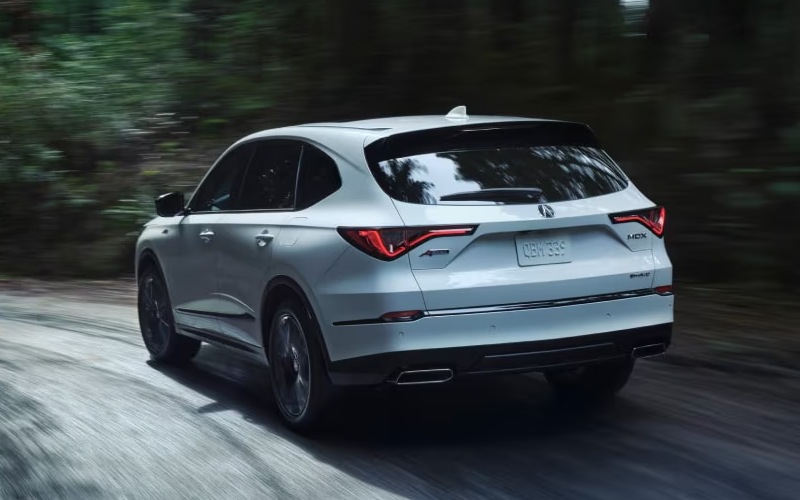
Acura of Avon - Why AcuraWatch on the 2026 Acura MDX is the right safety tech for daily driving around Windsor Locks, CT
Peace of mind matters just as much as performance, and the AcuraWatch suite on the 2026 Acura MDX is designed to make everyday driving around Windsor Locks, CT feel more confident and less stressful. This comprehensive set of safety and driver-assist technologies works quietly in the background, stepping in with alerts or assistance when the unexpected happens while staying out of your way when it doesn’t.
Let’s dive into how AcuraWatch works in real life, how it pairs with available 360-degree awareness tech, and how to get a true feel for it on a thoughtful test drive. We will also share practical pointers that local shoppers can use to decide which features fit their daily routes best.
What AcuraWatch includes on every 2026 MDX
AcuraWatch is standard across the MDX lineup, which means no guesswork on core safety features. Collision Mitigation Braking System (CMBS) can apply brake pressure if a frontal impact seems likely. Road Departure Mitigation can help keep the vehicle on the roadway with steering torque and braking assistance. Adaptive Cruise Control with Low-Speed Follow manages speed and distance in traffic. Lane Keeping Assist helps center the MDX within a detected lane. Pedestrian Detection provides audio-visual alerts and may brake if needed. Rounding things out are Traffic Sign Recognition, Traffic Jam Assist for low-speed steering aid, and a Blind Spot Information System.
For Windsor Locks, CT area roads where speeds can vary and traffic can stack up near interchanges, these systems provide meaningful, everyday support without overwhelming the driver. The tuning feels natural, and the alerts are clear but not jarring.
Expanded awareness with available features
Beyond AcuraWatch, the MDX can be equipped with technologies that make low-speed maneuvering and cross-traffic scenarios easier to read. An available Surround-View Camera system offers a 360-degree look at your immediate surroundings—excellent for tight parking near local shops—and guidelines help line up into a space. Rear Cross Traffic Monitor warns of vehicles when backing out of a spot, while Front Cross Traffic Warning on Type S Advance can notify you of detected approaching vehicles when inching forward at obstructed intersections.
For stop-and-go situations, available Low Speed Braking Control can automatically apply brake pressure if the system determines a frontal or rear low-speed collision is unavoidable—another confidence-boosting layer for crowded lots and school pickup lines.
How AcuraWatch pairs with MDX performance
Driver confidence also comes from the way the MDX drives. The double-wishbone front suspension, precise steering, and available SH-AWD provide a planted, predictable feel that makes AcuraWatch’s inputs blend naturally when they occur. Type S Advance models go further with Brembo front brakes and Adaptive Air Suspension that can enhance stability and ride control. The result is harmony between the SUV’s composure and the assistance provided by its technology.
Because the MDX is so well balanced, you get the rare combo of engaging feedback for the driver with helpful assistance for long commutes or busy family schedules. That harmony is what separates the MDX’s tech from many systems that can feel abrupt or too hands-on.
Making the most of a safety-focused test drive
To truly understand AcuraWatch and the available 360-degree features, plan a route that includes neighborhood streets, a busier corridor, and a parking scenario. Keep the following steps in mind as you go:
- Sample Adaptive Cruise Control on a multi-lane road to feel how it smoothly manages following distance
- Activate Lane Keeping Assist on a straight, well-marked stretch to sense the subtle steering assistance
- Use the multi-view or available Surround-View Camera in a tight parking space to evaluate clarity and guidance
- Back out of a spot with Rear Cross Traffic Monitor active to experience the alert cadence
- Try a slow, obstructed intersection if equipped with Front Cross Traffic Warning
As you drive, notice how calm and cohesive the alerts feel. Acura’s design philosophy aims for support, not surprise, and most shoppers appreciate how quickly the systems become second nature.
Everyday usability with Google built-in
Safety is stronger when key information is easy to see. The MDX’s Google built-in ensures navigation and voice control work seamlessly. Use Google Assistant to keep hands on the wheel and eyes ahead, and let Google Maps place guidance in the 12.3-inch touchscreen and Precision Cockpit digital display. If equipped, the Head-Up Display projects critical data onto the windshield. This setup reduces distraction and complements AcuraWatch by keeping essential info comfortably within your line of sight.
Together, AcuraWatch and the MDX’s interface design simplify the moments that typically add stress—lane changes, merging, and navigating busy lots—helping you stay focused and composed.
Who benefits most from AcuraWatch?
If your daily routine includes a mix of school runs, office commutes, and errand loops through Windsor Locks, CT, AcuraWatch is a meaningful advantage. It is also a wise pick for households where multiple drivers share the SUV. Consistent alerts, reliable lane support, and adaptive cruise tuning make it easier for each person to settle into the MDX and feel confident right away. Add optional 360-degree camera coverage and cross-traffic monitoring if you frequent tighter parking or dense shopping areas.
Ultimately, AcuraWatch offers real-world reassurance without diluting the MDX’s athletic character—an uncommon and welcome combination in a three-row luxury SUV.
Frequently Asked Questions:
Is AcuraWatch standard or do I have to choose a specific package?
AcuraWatch is standard on every 2026 MDX. You can add available features like a Surround-View Camera, Front Cross Traffic Warning, and Low Speed Braking Control depending on the package.
Can I adjust settings if I prefer fewer alerts?
Yes. You can customize certain alert volumes and sensitivities through the vehicle’s settings, allowing you to tailor the experience to your comfort level while keeping core safety functions active.
Does AcuraWatch work well in heavy traffic?
Adaptive Cruise Control with Low-Speed Follow and Traffic Jam Assist are designed for stop-and-go conditions, helping manage speed, distance, and gentle steering inputs to reduce fatigue in congestion.
How does AcuraWatch interact with SH-AWD?
They complement each other. SH-AWD improves traction and stability, while AcuraWatch supports driver awareness and response. Together, they enhance control and confidence across changing roads and weather.
If you want a thorough, local walkthrough, visit Acura of Avon for a tailored demo of AcuraWatch with your daily driving in mind. Our team is serving Windsor, Windsor Locks, and Canton with clear explanations, hands-on guidance, and routes selected to help you feel the technology’s benefits in real time.