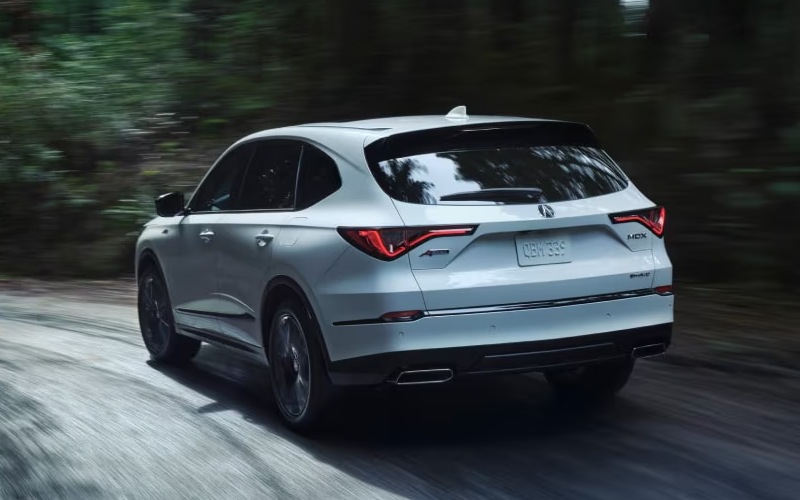
Acura of Avon - Does the 2026 Acura MDX include Google built-in with data near Springfield, MA?
If you commute along I-91, hop across the Mass Pike, or shuttle between Longmeadow, West Springfield, and downtown Springfield, MA, you want navigation, voice control, and apps that simply work. The 2026 Acura MDX delivers that with Google built-in* standard across every package, and yes — it includes a three-year unlimited data plan for in-vehicle apps. At Acura of Avon, we put that connectivity to the test every day, and below we explain exactly what’s included, how it helps around Greater Springfield, and what to know about data, setup, and long-term ownership.
What Google built-in means in the 2026 MDX
Google built-in* integrates core Google services directly into the MDX, no phone required. That means Google Assistant for hands-free help, Google Maps for native navigation on the 12.3-in color touchscreen, and Google Play for select in-vehicle apps. Because it runs on the vehicle, voice commands are natural and quick — say “Hey Google, navigate to The Big E” or “Hey Google, play WBUR” and you’re on your way without touching your phone.
Every 2026 MDX also brings a 12.3-in Precision Cockpit™ digital instrument cluster, so turn-by-turn directions can live right in your line of sight. On Advance, A-Spec® Advance, and Type S Advance, the 10.5-in Head-Up Display can project navigation prompts on the windshield to reduce eye movement even more — especially helpful when exiting I-91 onto I-291 or threading through city streets near Baystate Health.
Here’s how included data and connectivity are structured in the MDX so you know what you get on day one, and what’s optional down the road.
- Included for in-vehicle apps: Google built-in* comes with a three-year unlimited data plan that powers apps like Google Maps, Assistant, and select Google Play services.
- Wi-Fi Hotspot Capability: Standard on all packages; requires an AT&T plan to share internet with passenger devices like tablets and laptops.
- Smartphone mirroring: Wireless Apple CarPlay®* and wireless Android Auto™* are also standard if you prefer your phone’s apps and layout.
- Over-the-air updates: The MDX can receive software updates to improve features over time, so your tech stays current.
How this helps around Springfield, MA
Local driving can be unpredictable — Big E event traffic, a last-minute detour by the Basketball Hall of Fame, or a quick run to Six Flags New England in Agawam. Google Maps in the MDX pulls real-time traffic to adjust routes on the fly and can suggest faster side streets when I-91 slows down. Voice control keeps your hands on the wheel when the left-lane merges tighten near downtown.
Headed west toward the hill towns, Ludlow Mills, or out past Easthampton for a weekend hike? Download offline maps in Google Maps before you go. If cell coverage fades, your MDX keeps full navigation guidance with lane-level directions. You’ll still see your route on the 12.3-in screen and in the Precision Cockpit™, and on models with the Head-Up Display, guidance remains right where you want it — on the windshield.
Parents and carpool captains appreciate the simplicity too. Ask “Hey Google, text I’m 10 minutes away,” queue up a playlist, or find the nearest coffee near Longmeadow without sifting through menus. The seamless voice flow means fewer taps, less distraction, and a calmer drive when school pickup lines are stretching around the block.
Quick setup tips we recommend
Getting started is simple, and we’ll gladly walk you through it in our showroom. If you like to do things yourself, here’s a fast on-ramp.
- Create or confirm your Google Account if you plan to personalize apps and preferences.
- Sign in on the MDX touchscreen to sync places, recent searches, and Assistant preferences.
- Open Google Maps, tap your profile icon, and download offline maps for your favorite routes.
- Say “Hey Google” and practice a few commands like “Find parking near Union Station Springfield.”
- Pair your phone to enable wireless Apple CarPlay®* or wireless Android Auto™* as a backup or preference.
Not interested in signing in? You can still use Google Maps navigation and Assistant in guest mode. Signing in just unlocks personalized features like saved places and your content from compatible services.
Privacy and profiles, made practical
You control your data. The MDX lets you review permissions, choose whether to sign in, and manage what’s shared. Multiple drivers in the household? Set up separate profiles so each person gets their own Google Maps favorites, radio presets, and display preferences. It’s a small detail that pays off when your family toggles between local commutes in Springfield and weekend drives across the border into the Farmington Valley.
Beyond apps: how the MDX tech ties it together
The beauty of the MDX is how everything works in concert. AcuraLink® Connected Services come with a complimentary three-year trial, giving you remote features like Remote Start, Find My Car, and Automatic Collision Notification from your smartphone. AcuraWatch™ driver-assistive technologies — including Collision Mitigation Braking System™ (CMBS™), Adaptive Cruise Control with Low-Speed Follow, Lane Keeping Assist System, and Traffic Sign Recognition — support a safer, more confident drive as you follow Google Maps directions.
The hardware is equally impressive. Every MDX features the wide 12.3-in touchscreen and 12.3-in Precision Cockpit™. Step up to Advance, A-Spec® Advance, or Type S Advance for the 10.5-in Head-Up Display that shows speed, AcuraWatch™ alerts, and turn-by-turn guidance. Audiophiles will appreciate the available Bang & Olufsen® premium audio systems that make podcasts and playlists sound studio rich on the way to Northampton or Amherst.
And when conditions get tough, the Integrated Dynamics System keeps you in control. Snow Mode helps when winter returns, while models with Super Handling All-Wheel Drive™ (SH-AWD®) provide confident traction as you merge on slick ramps by the Memorial Bridge. That’s performance and tech working together — exactly what a premium three-row SUV should deliver.
Our team at Acura of Avon can show you all of this live — from setting up Google built-in* to demonstrating how voice guidance appears in the Precision Cockpit™ and, on equipped models, the Head-Up Display. We are an easy drive from Springfield down I-91 and Route 44, and we’ll tailor the demo to your routes, whether it’s daily trips to Forest Park or weekend drives across Western MA.
What happens after the three-year data term?
When your included three-year unlimited data plan for in-vehicle apps nears its end, you’ll have options to continue service. We can review the latest availability and help you choose the approach that fits your driving habits. Remember, your MDX still supports wireless Apple CarPlay®* and Android Auto™*, and Wi-Fi Hotspot Capability remains available with an AT&T plan for passenger devices.
If you want to dive deeper, bring your favorite Springfield-area destinations and let us load them into Google Maps, download offline areas, and build a profile so your MDX is ready from the moment you leave our lot.
Frequently Asked Questions:
Does the 2026 Acura MDX include Google built-in with a data plan?
Yes. Every 2026 MDX has Google built-in* and includes a three-year unlimited data plan for in-vehicle apps like Google Maps, Assistant, and select Google Play services.
Do I need my phone for navigation in the MDX?
No. Google Maps runs natively on the MDX, so you can navigate without a phone. Wireless Apple CarPlay®* and wireless Android Auto™* are also standard if you prefer your phone’s apps.
Will navigation still work in areas with weak cell service west of Springfield?
Yes. Download offline maps in Google Maps before you head out. You’ll keep full turn-by-turn guidance even if coverage drops. Real-time traffic and search results require connectivity, but routing continues offline.
Is the Wi-Fi Hotspot included?
Wi-Fi Hotspot Capability is standard, but an AT&T data plan is required to share internet with passenger devices. It’s separate from the three-year in-vehicle apps data plan.
Can different family members have their own settings?
Yes. You can create individual driver profiles so each person can keep their own Google Maps favorites, audio presets, and display preferences.
Ready to see how the 2026 MDX keeps you connected around Springfield, MA? Visit us at Acura of Avon on Albany Turnpike in Canton, and we’ll personalize a walkthrough — from Google built-in* to AcuraLink®, AcuraWatch™, and more — so your first drive home feels effortless.